


Version: 5.14.87.0 • Size: 24.8 MB • Android: 7.0+ • Developer: Proton Technologies AG
ProtonVPN screenshots
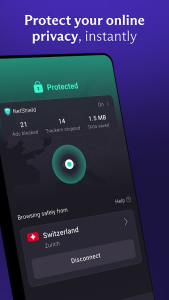
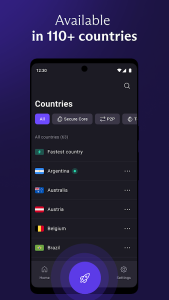
ProtonVPN creates a system VPN connection on Android and routes traffic through a selected server. Websites see the server address, while data between the phone and the VPN server travels through an encrypted tunnel. This can help on public networks, but a Connected indicator does not prevent phishing, malicious files or excessive app permissions.
Create the Android VPN profile
On first connection, Android asks permission to configure a VPN. A key symbol then appears in the status bar as the normal indicator of an active tunnel. Root access is not required.
Android normally supports one active system VPN per user profile. A local-VPN ad blocker, corporate VPN or another service can conflict with ProtonVPN. Disconnect the competing VPN before investigating a connection problem.
Nearby servers are often faster
Quick Connect chooses a server automatically, but performance depends on more than distance. Server load, your provider’s routing and current network quality all affect latency. For calls and games, compare nearby locations instead of choosing the most distant server.
Use the same speed test before and after enabling the VPN. A tunnel cannot repair packet loss on an already unstable Wi-Fi connection. Switching between Wi-Fi and mobile data may briefly interrupt a session while the app establishes a new route.
Protection when a connection drops
Always-on VPN and blocking connections without VPN help prevent apps from connecting directly if the tunnel becomes unavailable. Traffic is paused until the VPN reconnects, so a temporary loss of internet access is expected with these stricter settings.
Hotel, airport and café Wi-Fi may first require a captive-portal sign-in. If that page will not load, temporarily disconnect the VPN, complete the network sign-in and reconnect the tunnel promptly. Avoid leaving the VPN disabled afterward.
Use split tunnelling selectively
Split tunnelling lets selected apps bypass the VPN. This can help with local devices, casting to a television or services that reject data-centre addresses, but excluded traffic is no longer protected by the tunnel. Avoid excluding an entire browser just to access one website.
After changing the protocol or server, check the external IP address and DNS behaviour, then test your usual websites and video calls. Encryption protects the connection to the VPN server; it does not make suspicious pages safe or replace Android updates, two-factor authentication and careful address checks.