
Opening YouTube for a single tutorial often turns into a much longer session because Home keeps offering the next video. The app has a separate Subscriptions feed for channels you deliberately follow, while Library helps find previously watched or saved videos. Using the right entry point matters when you need a particular lesson rather than a stream of suggestions.
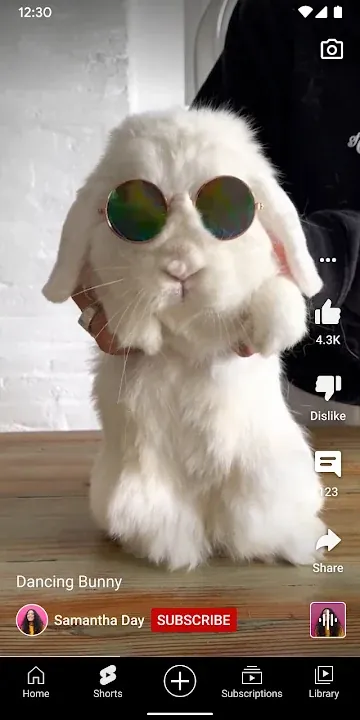
Search works well for a known channel or subject, but a precise title can be buried among clips and Shorts, the vertical format that competes with TikTok videos. Adding a useful long video to Watch Later gives it a place outside the recommendation feed. A channel subscription follows future uploads; notifications are a separate choice and can be adjusted for each creator.
The player offers speed, captions, quality selection and chapter navigation when a creator provides chapters. Captions can help in a noisy room, but automatically generated text may mishear names or specialist terms. When mobile data is limited, the quality setting is more relevant than the size of the phone display alone, and files already on the phone play without any data in a local player such as VLC.
YouTube lets creators upload and viewers comment or share links directly from the Android app. Those public interactions are tied to a Google account. For a shared phone, check which account is active before posting a comment or changing a channel subscription.
YouTube on Android is published by Google LLC, and the screenshots come from its Google Play listing, which the installation button opens. On most phones with Google services the app is already preinstalled, so the listing is mainly used for updates. Availability of paid features and offline viewing can vary with a subscription and location.
Posts, Premieres and live streams
Creators share more than regular videos. Posts, Stories, Premieres and Live streams show up in the app, so you can follow a channel between uploads. Comments let you join the conversation with the creator and other viewers.
The Explore section shows what is trending in music, gaming, news, learning and other topics. It and the Creators on the Rise section are available in select countries. Explore is a way to find new channels without relying on Home.
Recording and going live from Android
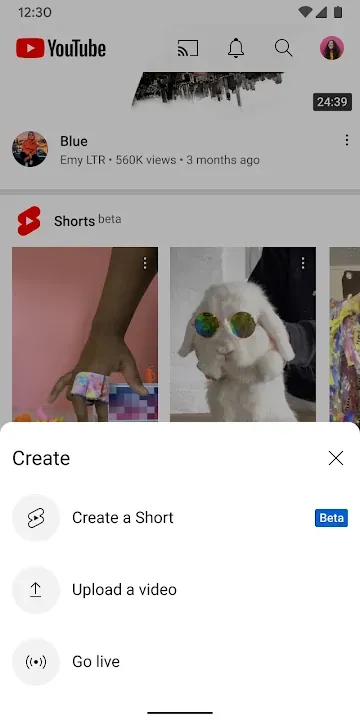
The app lets you create and upload videos without a computer. You can also start a live stream from the phone and talk to viewers in real time.
Live chat on your stream is public. Moderate it or keep the stream short if you are just testing how it works.
History, likes and your Home feed
Home recommendations are built from what you watch, like and search. Library keeps your history, liked videos and Watch Later in one place. Removing a video from history makes similar suggestions less likely.
Watch history can be paused or cleared in the app settings. That helps on a phone shared with a child, whose viewing would otherwise shape your feed. Your subscriptions stay unchanged either way.
When videos refuse to start
When the app freezes or videos will not start, update it first through Google Play. Then clear its cache in Android settings under Apps, YouTube and Storage. Cached files are rebuilt automatically, and your account data is kept.
If only one video fails, try it on Wi-Fi and on mobile data in turn. A problem that follows the network points to the connection rather than to the app.
Premium, memberships and supervised viewing
YouTube Premium removes ads and keeps videos playing while you use other apps or lock the screen. It also lets you save videos for a flight or a commute. YouTube Music Premium is included in the same subscription.
Channel memberships are paid monthly and support a single creator. Members get exclusive perks from that channel and a loyalty badge in comments and live chats. Both Premium and memberships are available in select countries.
Families can choose the separate YouTube Kids app or a parent-supervised experience on YouTube. The main app is rated Teen. Purchases inside the app on Google Play range from $0.05 to $999.99 per item.
What is new in the latest update
Released on September 27, 2026; the developer did not say what exactly changed.

[…] YouTube — Best for mixing Shorts with long-form videos […]