

Version: 4.25.5 • Size: 249.23 MB • Android: 6.0+ • Developer: Flextech Inc.
TeraBox screenshots
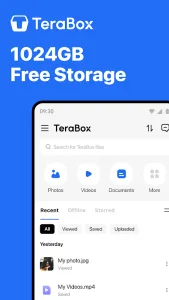
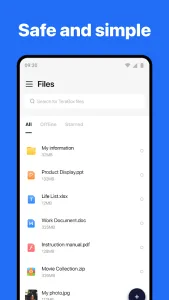

TeraBox stores photos, videos and documents in the cloud, synchronises them between devices and creates sharing links. The advertised free storage allowance looks generous, but the service’s practical value depends on upload speeds, plan restrictions and how easily files can be recovered after losing a phone.
A backup does not automatically free local storage
An upload confirmation means the file has reached the cloud, but its local original usually remains on the device. Before removing a local copy to free space, open the uploaded file on another device or in the web version and check that it is complete and at full resolution.
Messaging folders, screenshots and downloads deserve particular attention. Backing up everything automatically can fill storage with duplicates. Select a few important folders and periodically check that new files actually reach the intended location.
Configure automatic uploads carefully
Videos use far more data than photographs. Consider restricting video uploads to Wi-Fi and running the first large synchronisation while charging. Otherwise, Android may stop the app in the background or the upload may exhaust a mobile data allowance.
If the upload queue stalls, check battery-saving restrictions, background data access and available account storage. Reinstalling is not the first troubleshooting step: it may remove the local list of unfinished uploads without resolving background restrictions.
Check the risks of shared links
A shared link is useful for a large archive, but recipients can forward it. Check whether login is required, whether the link expires and whether it exposes other files in the folder. Sensitive documents are better protected in an encrypted archive, with the password sent through a separate channel.
Deleting the original file or changing permissions may disable an old link. If a group needs access for several weeks, test the link in a private browsing window and note when access should be closed. This checks the recipient’s experience instead of relying on the owner’s permissions.
Test recovery before you need it
Treat cloud storage as a backup only after testing recovery. Download a photograph, a document and a large video to another device, then compare their size, quality and ability to open. This can reveal incomplete uploads or plan restrictions.
For important data, the 3–2–1 approach provides stronger protection: a working copy, another on an independent medium and a third off-site. TeraBox can be one layer, while the password, recovery codes and access to the linked email account should remain available separately from the phone.