

A 2.25 MB tool for Android 6.0+
- Updated: July 13, 2026
- Version: 2.4.1
- Size: 2.25 MB
- Android: 6.0+
- Developer: Activity Launcher
Google Play data as of September 27, 2026
Key changes in 2.4.1
The latest version arrived on July 13, 2026 with these notes:
Plugin system for launch and shortcut creation (docs & example on GitHub)
Launch favorites using Quick Settings tile by @khaled-0
Favorites and recently used activities
Sharing of shortcuts via URL
Translation updates
Incremental loading should fix crashes due to binder buffer exhaustion
App activity lists and home screen shortcuts
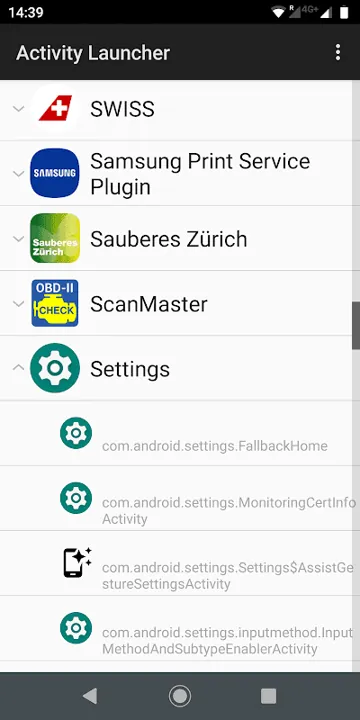
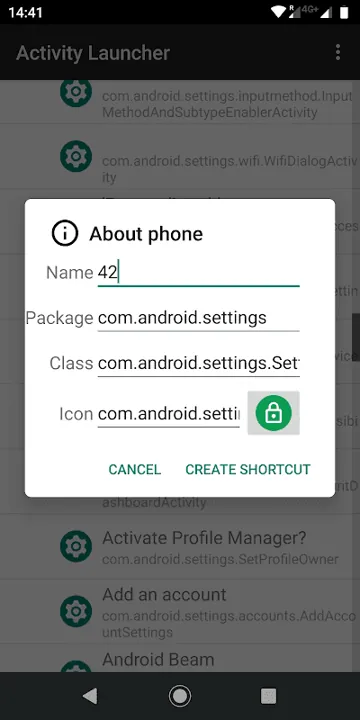
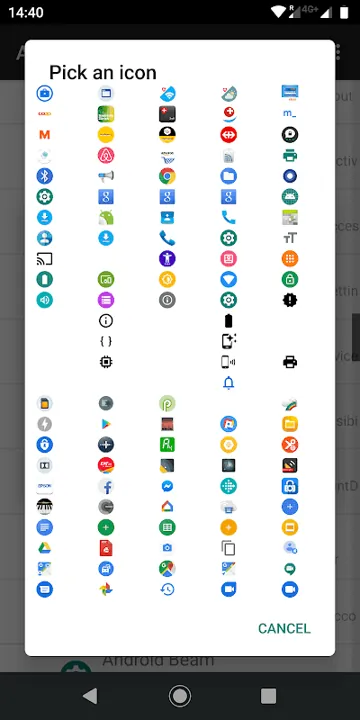
Activity Launcher lists the screens and actions that installed applications declare to Android. It can open a particular setting or create a shortcut to a section, avoiding a long chain of menus each time. The tool does not unlock anything on its own: it simply calls entry points that already exist.
An activity is not a separate app
A single package may contain dozens of activities: its main screen, a file picker, account details, internal settings and service pages. Identical names do not necessarily mean identical actions. Before creating a shortcut, launch the item once and check that it opens the intended screen.
Some entries are designed to be called only from inside their own app. They may close immediately, show a blank page or require parameters that Activity Launcher does not provide. This does not necessarily mean the phone is faulty; the developer may not allow external launches.
Start with the application name
A screen’s translated name may not appear in its code. If a normal search returns nothing, expand the relevant app, such as Google Chrome, and inspect its technical class names. Words such as Settings, Preferences, History, Manage and Shortcut can help distinguish a settings screen from a background component.
Before experimenting, note which package and class you launched. If the screen is useful, give its shortcut a clear name such as Notification history instead of a long dotted class name. This makes it easier to recognise later without searching the list again.
Favorites, recent items and a Quick Settings tile
Version 2.4.1 added favorites and a list of recently used activities. Once a useful screen is found, you no longer have to search the full package list to open it again. Favorites can also be launched from a Quick Settings tile in the notification shade.
Shortcuts can now be shared as a URL. A new plugin system adds its own launch and shortcut options. Incremental loading is meant to fix crashes caused by binder buffer exhaustion. A package cache was added in the same release.
Launch restrictions protect private screens
Android restricts activities that are not exported or require a system signature or special permissions. A normal shortcut cannot bypass an access-denied message; that is part of the security model. Root access is not needed to view the list, and installing the app does not grant root access.
It is safer to inspect unfamiliar service screens without changing their settings. Some can reset data, disable a component or change network settings without the usual warning. If a switch’s purpose is unclear, use Back and leave the setting unchanged.
Check shortcuts after updates
An app developer may rename or remove an internal activity in an update from the Google Play Store. The old shortcut then stops working even though the app itself still opens normally. Remove the obsolete shortcut, refresh the package list and recreate it using the current class.
Shortcuts to stable system pages and frequently used settings are particularly useful, but they may not transfer between phone brands. Samsung, Xiaomi, Pixel and other Android variants use different packages and activity names, so a working shortcut on one device may not exist on another.
Ads, the Pro edition and open code
Activity Launcher is free with no in-app purchases, but the regular edition shows ads. The developer offers a separate Pro edition on Google Play without ads. Buying it also supports further development.
The project is open source and community driven. Its code and translations are public, and users can contribute fixes or new languages. A beta channel lets you test new builds before they reach everyone.





[…] Activity Launcher — Best for opening hidden settings and app screens […]